How to Turn Long Videos into Shorts with a Complete Story
Quick summary
A short must make sense to someone who never watched the long video. Choose a complete idea with its needed context, give each accepted clip its own timeline, and adapt framing, captions, sound, and ending for the destination. ChatCut can propose source ranges, but you still need to review the idea and the exported file.
The first question is not which minute of the recording performed best. It is whether a stranger can understand the idea without the question, setup, or qualification that came before it. A strong short has its own opening, evidence, and ending, even when it came from a longer conversation.
In ChatCut, attach the recording and ask for complete candidates: “Find three ideas for people learning to hire their first team. Give each a title and source range, keep qualifications that affect the advice, and show me the choices before creating timelines.” Review the candidates against the full conversation, then create a separate timeline for each accepted idea. That keeps one correction from changing every short.
Choose the meaning before the format
Play the proposed clip without the rest of the episode. Its opening should tell a new viewer what the speaker is talking about, and its ending should deliver the point. If you have to explain the missing context afterward, keep more of the source or choose another moment.
For an interview, keep the question when the answer begins with “that” or “it” and would otherwise be unclear. For a tutorial, include the action and the result, not only an instruction to click something. For an event or gaming clip, inspect the picture directly because the transcript may omit the important action.
You can ask for more candidates than you intend to publish, but do not assume every recording contains a fixed number of strong clips. Reject a candidate that repeats another clip’s idea or needs too much missing context.
Take a practice answer: “Only after the first ten customers renewed did we raise the price.” A clip that starts at “we raised the price” loses the condition that makes the advice useful. Keep the renewal test and the pricing decision together, or select a different passage. Ask whether a viewer can explain why the speaker made the decision using only the chosen clip.
Request candidates with their missing context
Import your source through My Assets, wait for processing, and give the agent an audience and a selection rule. If you prefer the external agent workflow, use the current ChatCut setup in a supported desktop app.
Find three complete ideas in this interview for people learning to hire their first team. Suggest a title and source range for each. Keep the qualifications that affect the advice. Show the choices before creating separate vertical timelines.
Three is a practice choice in this example. Change the count and audience to suit your source. Asking for a review before cutting lets you reject an attractive quote that misrepresents the conversation.
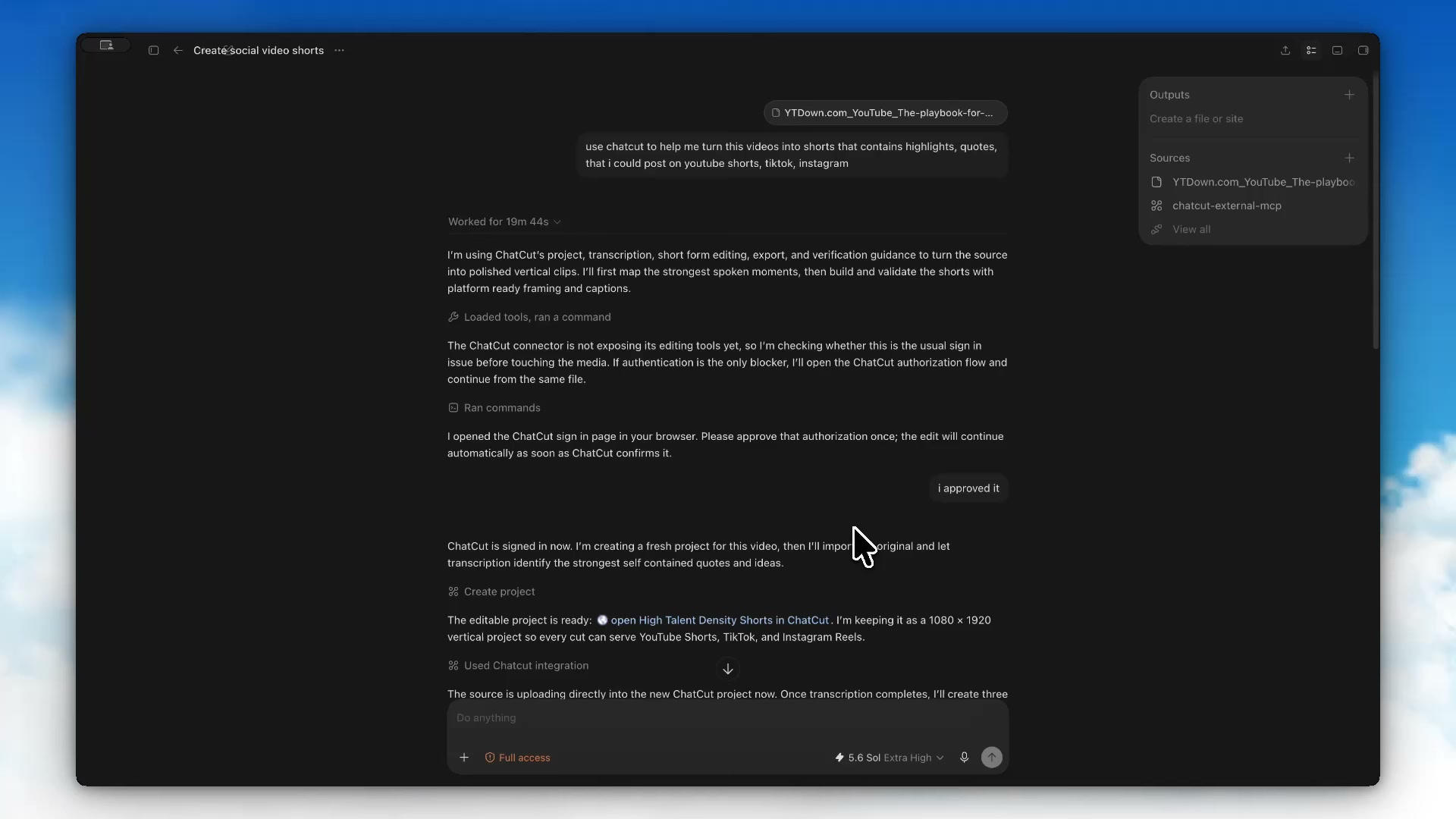
A source link is useful only when the connection can actually access and import it. If a public page does not provide usable media, upload a file you are authorized to edit. Do not assume any YouTube or Vimeo link will import automatically.
Give every accepted idea its own edit
Create one timeline per accepted idea, then give each a name that describes the point. ChatCut supports multiple timelines in one project with a shared media pool.
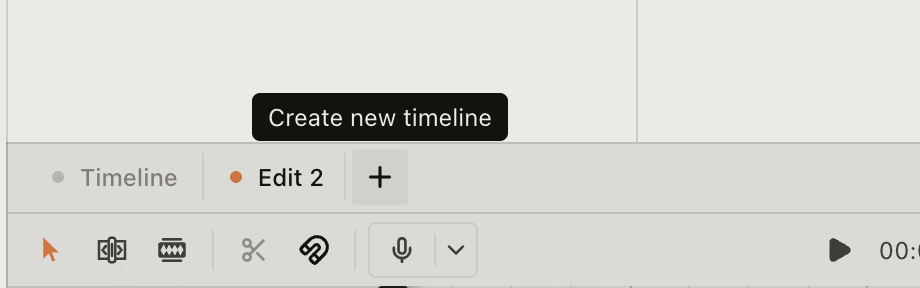
Start each clip on a complete line and end after the idea resolves. Remove repeated takes and empty pauses while retaining the speaker’s meaning. Listen across each new cut and compare the shortened statement with the source.
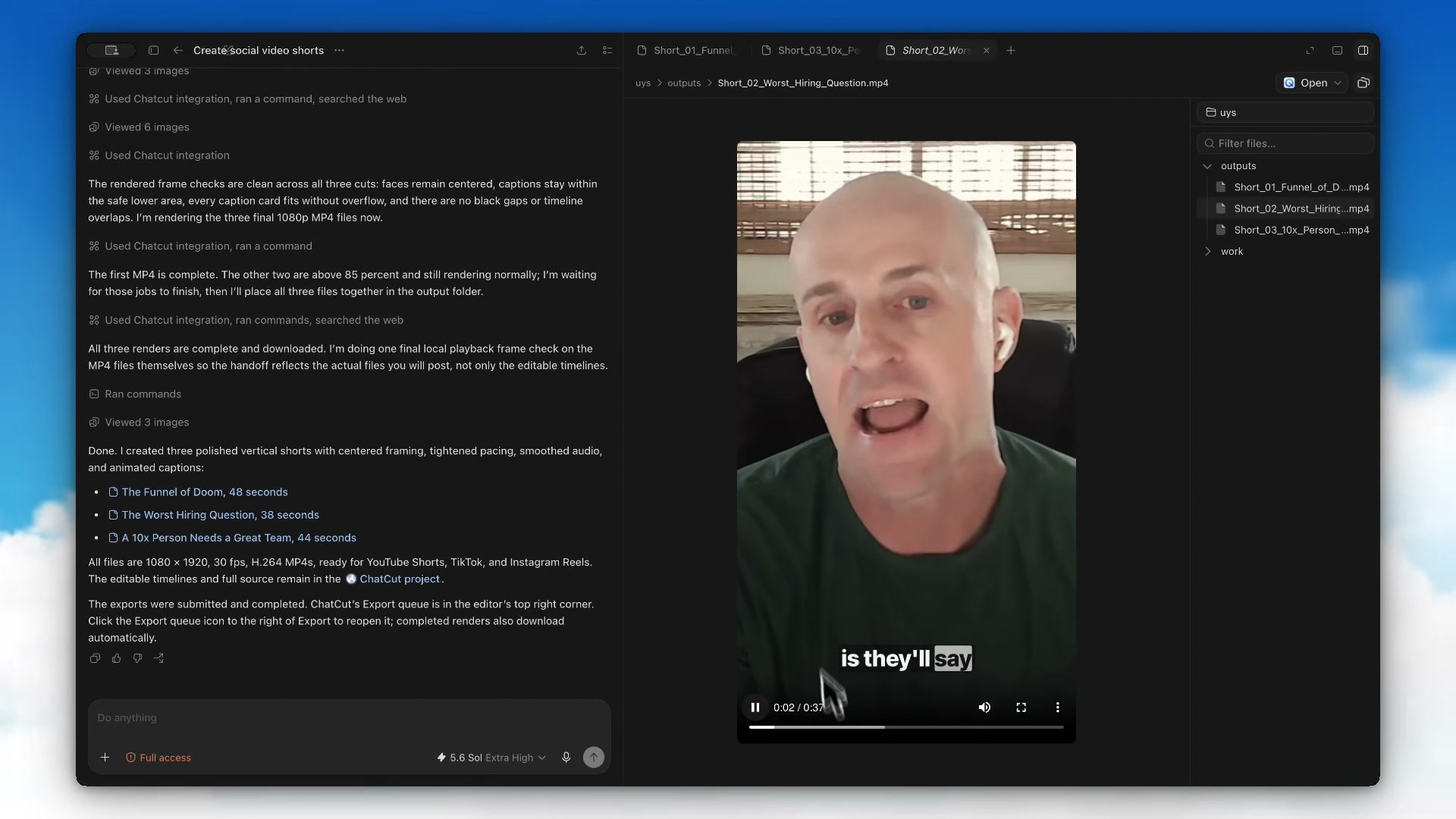
The Can ChatGPT Edit Videos? case supplies a concrete example. From an episode of Lenny’s Podcast, the High Talent Density Shorts task reports these three outputs:
| Selected idea | Reported length | What to check in the source |
|---|---|---|
| The Funnel of Doom | 48 seconds | Keep the explanation of what makes the hiring funnel fail |
| The Worst Hiring Question | 38 seconds | Include enough of the question and answer to understand the criticism |
| A 10x Person Needs a Great Team | 44 seconds | Preserve the relationship between the individual and the team |
These checks are editing recommendations for the named topics. The task reports separate editable timelines and 1080 × 1920 MP4 exports. The recording shows output previews; the three original MP4 files are unavailable for independent audio and metadata review. Three clips are this project’s result, not a guaranteed yield from another episode.
Protect the people and action in a 9:16 crop
Check every change of speaker and composition after setting a vertical format. A 9:16 frame is a useful starting choice for vertical delivery, but the intended platform’s current requirements determine the final dimensions and duration.
Keep faces and useful gestures visible. When two speakers must remain on screen, try a top and bottom layout instead of squeezing both into a narrow horizontal row. For a screen demonstration, prioritize readable controls; sometimes a different crop or a dedicated close view explains the action better.
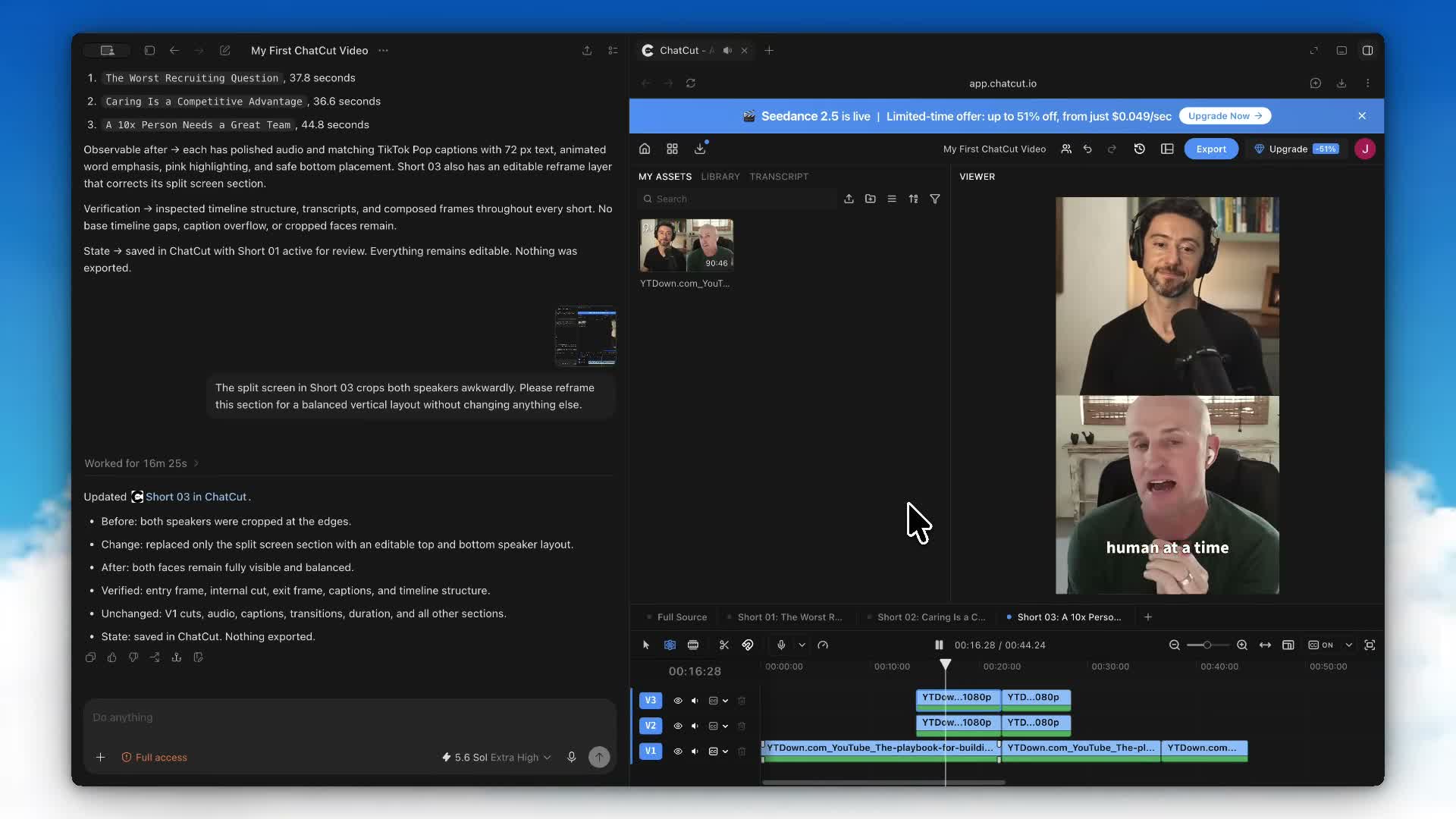
In My First ChatCut Video, the creator reports that the split screen crops both speakers awkwardly. The correction requested a balanced vertical layout while preserving the surrounding edit. Use the same level of specificity:
In [clip name], reframe [time range] so both speakers’ faces remain fully visible. Use a top and bottom layout if needed. Keep the dialogue, captions, and all other sections unchanged.
Keep words clear without hiding the evidence
Turn on Captions after the cut is stable, then correct names, numbers, and technical terms in Content. Deleting words in Transcript changes the recorded edit; Content is the place for visible caption wording.
Preview the video at phone size. Keep text away from faces and important demonstration details, and leave room for the destination app’s controls. Read each caption while the clip plays; adjust text density or timing when it is difficult to follow.
A style that works for one speaker may cover the face in a different composition. Check the entry, middle, and exit of a layout change, including any highlighted words. The subtitle tutorial covers the full caption workflow.
Fit the rhythm to the destination
YouTube’s current guide classifies square or vertical videos up to three minutes as Shorts under the general upload rule introduced October 15, 2024. You do not need to force a complete two minute explanation into 60 seconds merely to meet an outdated limit. Choose the shortest cut that still delivers the idea.
Music can change delivery eligibility. The guide now announces a policy change effective September 24, 2026 for new Shorts longer than one minute and shorter than three minutes with active Content ID claims. That date is still ahead of this September 18 review. Check the linked rule for your upload date and track instead of assuming every licensed or claimed song behaves the same way. TikTok and Instagram have their own current requirements.
Check the finished file one short at a time
Play each short from its first frame, as someone who has never seen the episode would. Confirm that the opening supplies context and the ending resolves the idea, then check its picture, sound, captions, duration, and orientation in the downloaded file.
Export from the intended active timeline. If you need a separate SRT, keep it paired with that version of the video so the timecodes agree. Check current export limits and available formats before preparing a large set.
ChatCut’s free cloud export allowance and generation credits are separate. Creating generated music or a new supporting shot is not the same billing operation as a manual crop or subtitle correction.
Frequently asked questions
How do I choose a clip that works outside the full video?
Find a complete idea with enough setup to understand the point and an ending that resolves it. Watch the source before and after the proposed range. Keep qualifications and references the viewer needs, then remove repetition inside that boundary.
Does every YouTube Short have to be under 60 seconds?
No. Eligible square or vertical videos uploaded from October 15, 2024 can be categorized as Shorts up to three minutes long under YouTube’s guidance. Choose a length that completes the idea and check current music and Content ID rules for the intended upload.
How do I keep two speakers visible in a vertical clip?
Inspect both people throughout the exchange after choosing 9:16. Try a top and bottom arrangement when a narrow crop loses a face or gesture. Check each speaker layer, the space between them, and caption placement at the beginning, middle, and end.
How do I manage several shorts from one recording?
Keep each accepted clip on a separately named timeline. Duplicate a timeline when testing another opening or layout so you can compare versions. Select the intended timeline before exporting and check that the downloaded file starts and ends with that clip.
What should I check before posting the same short elsewhere?
Review the destination’s format, duration, music rights, and interface overlays. Check faces, caption spelling, reading time, and text placement in the exported file. A clip that fits one app can cover important content or use audio that is not cleared for another destination.
Does AI know which clip will go viral?
A suggested highlight is an editorial candidate. Review its clarity, relevance, and context; this workflow cannot guarantee audience response.
Can I revise a clip after it is created?
Yes. Select its timeline, identify the range or caption, and describe the change or use the editor controls directly. Duplicate the timeline first when trying a substantially different opening.
How quickly can I process an hour of footage?
Processing and review depend on the source, connection, requested operations, and export. The recorded case is one example, not proof of a ten minute turnaround for any hour of footage.
Should I compare ChatCut with a dedicated clipping tool?
Compare the ability to correct the result you need. OpusClip offers a clipping workflow; ChatCut offers editable timelines alongside transcript and agent instructions. Try a clip that needs a framing correction, then compare how easily you can make that correction and review the export.
A short is ready when the full idea survives on its own
Select a complete idea, keep the qualification that changes its meaning, and give the accepted clip its own timeline. In ChatCut, ask for candidate ranges first, approve the one that works outside the episode, then reframe speakers, place captions, and adjust sound for the destination.
Export and review each short separately. Check the first sentence, the crop, the captions, the ending, and the platform requirement. A highlight label or an AI score cannot tell you whether a viewer who missed the long video will understand the point.